Tom’s Hardware has a longer review article on background and multiple options. This focuses on a simple method users can do.
Open Chrome and go to the settings/search page. Select search engine then select Manage search engines.
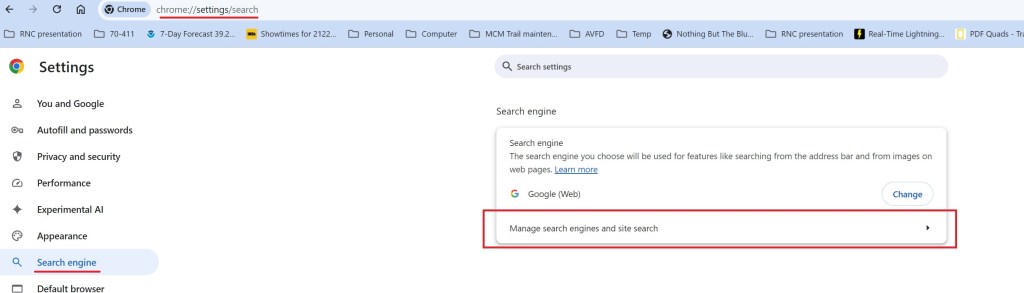
The screen changes to listing the search engines and site. Add a site to search

I named it Google(Web) to match the tabs on search results. The shortcut needs to be google.com. If you enter it with the www prefix, it will not work. The critical entry is the URL:
{google:baseURL}/search?udm=14&q=%s

This returns web results only, not the added AI or other summary features. Note URL in search bar and the Web tab selection in the return.
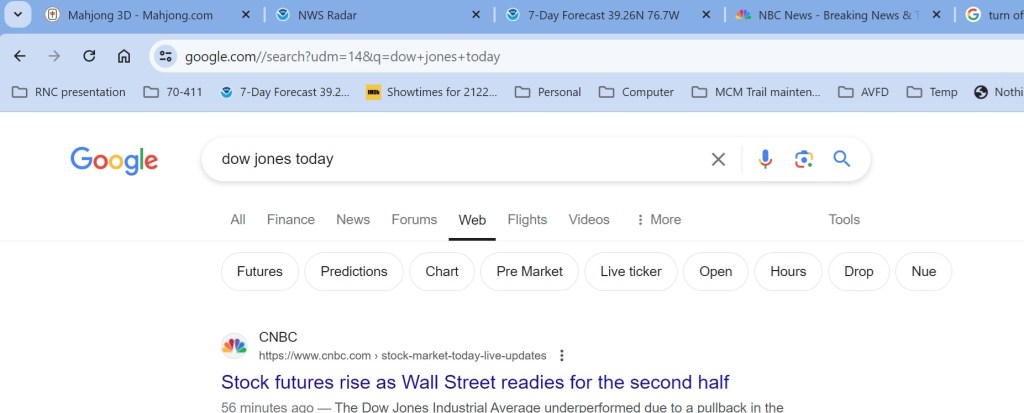
However it you want or are expecting summary graphics, just select All and summary is added without AI (so far, that might change).

 Jerry's blog