Background. Laptop with failed motherboard, no backup. User needed to recover a functional program to export data to new machine. System was Windows 11 home edition.
Turns out, it’s very easy to do as long as the user can recover the Bitlocker key from their MS account. Recovery cannot be done until the drive is unlocked and decrypted.
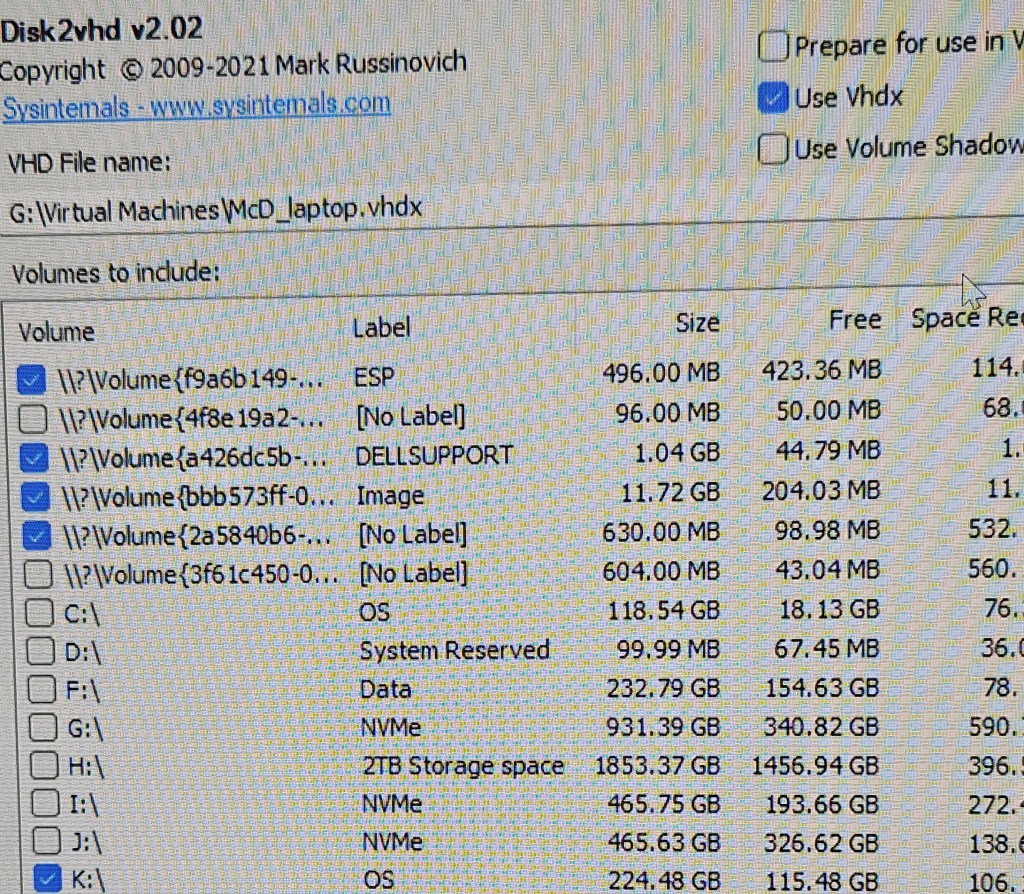
Use the disk2vhd utility from sysinternals to create the VHD from the drive. There is one problem not apparent until you actually mount the drive and start the process. There are system areas on the drive which also need to be copied to the same VHD but can be a pain to pick them out on the menu.
Easiest way to do the job is run the utility without the mounted external drive and get a list of all segments that exist in the machine doing the copying. Then exit the program, mount the disk to be copied and select all new entries.
Baseline

Select all new entries.
Once the VHD is created, open Hyper-V manager and create a new disk, gen-2 and mount the VHD as the drive. Select the new VM and start. The VM manager will install the needed drivers to fully boot the machine in Hyper-V. Patience. The pin login will be lost but the user can login using their MS account.
Until the VM is activated by the user login, the VM cannot be properly exported to create additional machines. The export function will work and create a file but it will fail on any attempt to restore it to any location.
 Jerry's blog